


Baby Sleep Tracker: Lulla
4.80.00 Reviews
App Specs
- Version
- 4.14.0
- Updated On
- License
- Free
- Downloads
- 10,000+
- Developer
- Lulla
- Categories
- Parenting
- Platform
- Android
Screenshots
 Analysis by AppCompare
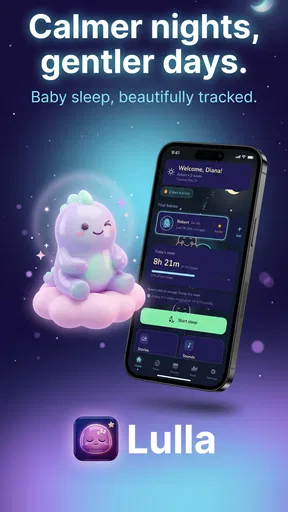
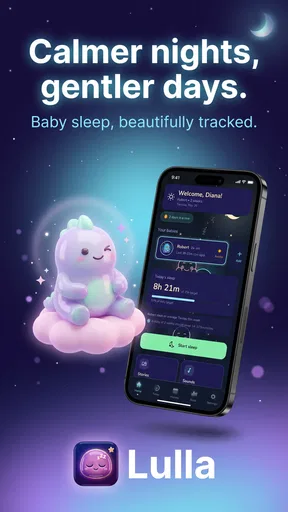
When a baby wakes at night, the hardest part is often not knowing what happened. Was the last feed too close to bedtime, did the nap run long, or did a small change in the routine make settling harder? Lulla is designed to bring those details into one place, combining baby sleep tracking with stories, sounds, and calming tools. After spending time with it, I see the app as a practical companion for parents who want a gentler way to notice patterns rather than rely on memory during exhausting days.
It is a free parenting app from Lulla, with optional in-app purchases ranging from $10.99 to $69.99 per item. The app has a 4.8 average from around 363 ratings and has passed 10K+ installs, which gives it a modest but encouraging presence among baby-care tools. Its age rating is Everyone, and the current version is 4.14.0 for devices running Android 8.0 or later. Those details matter because this is an app intended to be used by tired adults, often while holding a child, not a complicated sleep laboratory.
How Lulla feels to use when attention and energy are limited
When I’m short on sleep, I value tools that make the next step obvious rather than asking me to manage every detail. This section looks at how Lulla’s mix of sleep logging and calming options can reduce the small decisions that pile up during a night waking. It also sets up a closer look at how that convenience depends on keeping the routine simple.
Readability and navigation during a tired night
The strongest idea behind Lulla is that sleep information and settling support belong together. A tracker can tell me when a baby slept, but it does not help much when the next wake-up is already happening. Lulla connects the record-keeping side with stories, sounds, and calming content, so I can move from noting an event to trying a bedtime aid without switching between unrelated apps.
That combined approach is particularly useful for parents who do not want to maintain a spreadsheet, remember timestamps, and then search a separate audio app. The store summary presents the app as a way to score nights and lull a baby with stories, sounds, and calm. In everyday use, the value is less about producing a perfect sleep record and more about reducing the number of decisions I need to make at two in the morning.
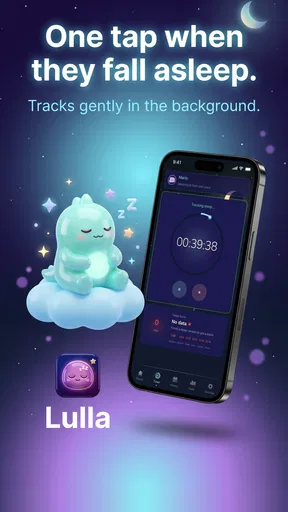
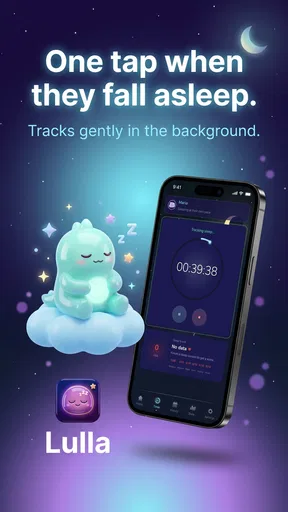
Navigation matters here because sleep tracking is only useful when entering an event feels easier than skipping it. I would use the app most consistently when logging becomes part of an existing routine: record the start of a nap, check the current pattern before bedtime, then use a calming option if settling takes longer than expected. A parent who tries to reconstruct an entire day from memory may find the process much less reliable.
The presentation also needs to work for people with different reading comfort levels. Parents may be using the app with low screen brightness, one hand, or only a few seconds of attention. Lulla’s focused purpose is helpful in that context: it is not trying to be a general baby social network, shopping tool, or medical dashboard. That narrower role makes it easier to decide why I opened it.
Worth Reading Before You Choose

EA SPORTS FC Mobile 26 Is a Bigger Football Game, but It Takes Time

Flipboard Shows What News Apps Must Do Beyond the Feed

Switching to Android Auto Means Rethinking Your Driving Routine

Google Calendar Makes a Crowded Week Easier to Manage

Ludo King Makes the Most of the Minutes Between Plans

Baby Panda World Brings Quick Play to Modern Phones, but Its Game Library Feels Busy
Still, a sleep tracker can become mentally demanding if every wake, nap, and soothing attempt feels like another task to complete. My advice is to treat the log as a useful sketch, not a test of parenting accuracy. If an entry takes too much effort, record only the events that help you make a decision later. The app is more valuable when it supports a routine than when it turns the routine into administration.
Multiple babies and the reality of changing routines
One feature that makes Lulla more relevant to some households is its multi-baby support. That is not a minor addition for parents of twins or siblings close in age. Separate sleep histories can prevent the common problem of mixing up who napped when, especially when both children have different settling habits or are moving through different stages.
The practical trade-off is that multiple profiles can also create more choices at exactly the wrong moment. I would set up each child carefully while everyone is awake, then keep the bedtime workflow simple. Before logging anything, I would check which baby is selected. A clean record is useful only if the event belongs to the right child.
Multi-baby tracking is also helpful for caregivers who share responsibilities. A partner, grandparent, or babysitter can understand the recent pattern more quickly than if information is scattered across messages and memory. However, the usefulness depends on everyone following the same logging habits. If one person records every short doze and another records only longer sleep, the history may look more precise than it really is.
Stories, sounds, and calming support beyond a basic timer
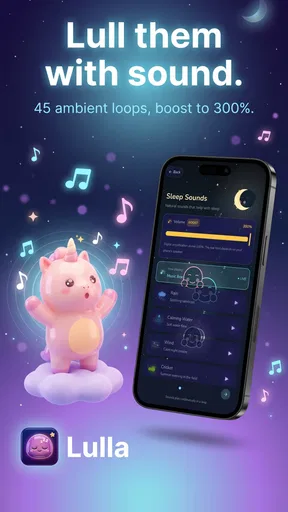
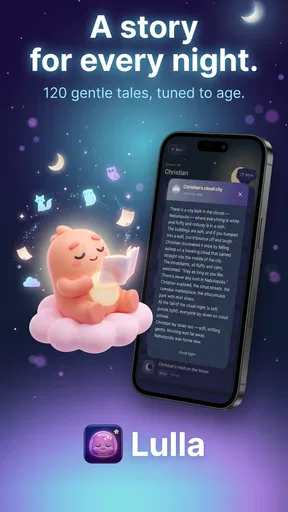
The soothing side of Lulla is where it differs from a simple timer or notes app. Stories and sounds give parents alternatives when silence is not working, while the calm-focused content can make bedtime feel more intentional. I appreciate that this is not framed only as a measurement problem. Babies do not always settle because a schedule says they should, and parents often need a low-effort way to try something different.
These tools are best treated as optional parts of a routine rather than guaranteed sleep solutions. A sound that helps one child may irritate another, and a story may be calming before bed but distracting during a brief night waking. I would try one option at a time and observe whether it reduces stimulation. Changing several things together makes it difficult to know what actually helped.
The no-ads positioning is an important practical advantage. Advertising inside a baby sleep tool could interrupt a quiet moment, make the screen visually busier, or encourage unnecessary tapping. A calmer interface is especially welcome when I am trying to keep my own attention low and avoid turning a wake-up into a full phone session.
Motor and sensory considerations for real-world use
Parents use this kind of app under awkward physical conditions. One hand may be occupied, the phone may be held at an angle, and the user may be trying not to wake a baby. That makes short, predictable interactions more valuable than elaborate controls. Lulla’s focused combination of tracking and soothing is well suited to quick check-ins, provided the parent can reach the needed action without navigating through too many layers.
There is also a sensory side to bedtime technology. Bright screens, sudden audio, and too much visual movement can work against the calm atmosphere a parent is trying to create. I would prepare the app before lights-out, lower the device brightness, and begin audio at a quiet level rather than relying on the phone to become the centre of the room. The app can support a calm routine, but the phone itself can still be stimulating.
For users with limited dexterity, the main question is not whether tracking exists but how much precision each interaction demands. A tracker becomes frustrating if it expects exact tapping while someone is holding a baby or moving through a dark room. My practical approach would be to log the essential event first and add detail later only if it changes a decision. That workflow reduces the physical burden and protects consistency.
For users who are sensitive to sound, stories and calming audio should be introduced gradually. A soothing feature is not automatically suitable for every child or household. Some babies may prefer a parent’s voice, a quiet room, or a familiar routine. Lulla works best as a menu of possibilities, not as a replacement for observing the child’s response.
Readability can also change with fatigue, eyesight, and lighting. I would avoid trying to interpret long histories during a night waking. The useful moment for reviewing patterns is usually during the day, when the parent can think clearly and compare sleep with naps, feeding, activity, and mood. At night, the app should serve a narrow purpose: record what matters or start a calming aid.
Situational access: who benefits most from the workflow
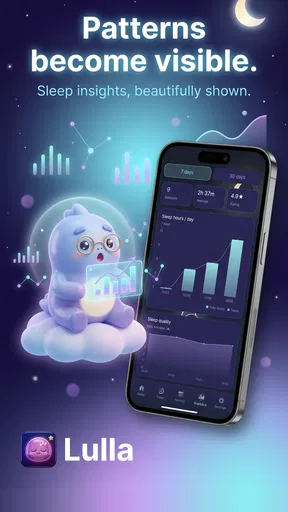
Lulla is a strong fit for parents who want more structure but dislike rigid schedules. It can help someone notice that late naps tend to make bedtime harder, that a particular story is associated with smoother settling, or that night wakes are clustered around a change in routine. The important insight is not a single sleep score; it is the ability to compare repeated situations without depending entirely on tired recollection.
Consider a realistic evening. A parent finishes a late afternoon nap, records it, and checks the recent pattern before beginning bedtime. The baby is fed, changed, and placed down, but remains unsettled. Instead of opening a video service or searching for random white noise, the parent tries one of Lulla’s calming options while keeping the room quiet. Later, the wake-up is logged briefly. The next day, that record can be considered alongside the rest of the routine rather than forgotten.
This workflow is also useful for parents returning to work or sharing care. A short record can help another caregiver understand what happened without requiring a long explanation. It may be especially helpful when the baby’s routine is changing and the household is testing small adjustments. I would use the history to support conversations, not to make medical conclusions.
The app may also suit families who want a single place for sleep and bedtime support but do not need a broad parenting platform. Compared with paper notes, it is easier to connect tracking with immediate soothing choices. Compared with a generic audio player, it gives the sounds and stories a clear bedtime context. Compared with a strict schedule app, it leaves more room for the fact that babies do not always follow a timetable.
On the other hand, parents who want detailed developmental analysis, feeding records, diaper tracking, or extensive health reporting may prefer a broader baby-care platform. Lulla’s focused approach is an advantage when sleep is the main concern, but it may feel limited if the goal is to manage every part of infant care in one database.
Cost, expectations, and the limits of calm technology
The app is free to start, which makes it easy to test whether its tracking style fits a family before paying. Optional purchases can range from $10.99 to $69.99 per item, so I would look carefully at what is included before committing to a purchase. The right question is not whether more content sounds appealing, but whether it will become part of the household’s actual routine.
Parents should also avoid expecting the app to solve sleep problems by itself. Lulla can organize observations and provide calming material, but it cannot account for every reason a baby wakes. Illness, discomfort, hunger, developmental changes, room conditions, and family circumstances may matter more than any recorded pattern. When sleep concerns are persistent or worrying, an app should not replace advice from a qualified health professional.
Another limitation is the possibility of over-tracking. Recording every small variation can make parents more anxious, especially when they begin comparing one night with another as if the app were grading performance. I would choose a small set of observations that directly helps the family: sleep periods, notable bedtime changes, and which calming approach was tried. That produces a more usable history and keeps the tool from taking over the evening.
The no-ads experience helps, but it does not remove every distraction. Paid options can still make users think about content choices, and a phone remains a phone: notifications, brightness, and unrelated apps are always nearby. For the calmest routine, I would activate the desired content before settling the baby and avoid browsing once the process has started.
Remaining barriers for different abilities and contexts
Lulla’s subject matter is inclusive in the sense that it addresses a common parenting need, but practical access depends on the user’s circumstances. A parent with limited time may not be able to maintain detailed logs. A caregiver who is not comfortable reading English-language content may find stories or labels less useful. Someone sharing care across several adults may need a clear household agreement about what gets recorded and when.
There is also a difference between occasional access and dependable access. A parent may have an older Android phone, use the app in a dim room, or need to conserve attention while caring for more than one child. The stated minimum operating system is Android 8.0 or later, so device compatibility should be checked before building a routine around it. For a family using an older phone, the best experience may depend on keeping the device responsive and preparing the app before bedtime.
Families with different sensory preferences may need to be selective. Audio-based calming is not universally comfortable, and a story that works for one child may be too engaging for another. The app can offer choices, but the caregiver still has to judge volume, timing, and whether the content is helping or delaying sleep.
For users who need highly specialized accessibility controls, the most responsible approach is to test the actual workflow on the intended device before relying on it. Check whether text is comfortable to read, whether controls are easy to reach, and whether the audio can be managed without creating extra stimulation. These are not abstract concerns when the app is used while tired, carrying a baby, or responding to a night wake.
Finally, Lulla is not the right choice for someone who wants a completely passive system. It depends on the caregiver entering information and making sensible choices about the calming tools. If manual logging feels like another obligation, a simpler notes method may be more sustainable. Consistency matters more than having a sophisticated record that is abandoned after a few days.
My inclusive verdict on Lulla
Lulla is most valuable when it reduces decisions rather than adding them. Its combination of baby sleep tracking, multi-baby support, stories, sounds, and calm gives parents a focused toolkit for noticing routines and responding to difficult bedtimes. I especially like the way it sits between two extremes: it is more purposeful than a generic audio app, but less rigid than a schedule system that expects every baby to behave predictably.
The app is a good recommendation for parents who want to build a lightweight sleep record, share useful context with another caregiver, and try calming content without advertising interruptions. It is also a sensible option for families with twins or more than one young child, as long as they take care to select the correct baby before recording events.
I would skip it if you want a complete health and care database, automatic answers about why a baby wakes, or a totally hands-off tracker. I would also be cautious about paying for additional content until the free experience has proved useful in your home. The best results come from a restrained workflow: log what matters, review patterns in daylight, and use stories or sounds only when they genuinely make settling easier.
With its Everyone rating, free entry point, no-ads approach, and current version 4.14.0, Lulla is approachable for many households, while its Android 8.0 requirement keeps it compatible with a range of devices. My overall view is positive, with one condition: treat it as a supportive routine tool, not an authority on infant sleep. Used that way, it can make nights feel a little more organized and help caregivers respond with less guesswork.
Pros
- Simple sleep logging makes daily routines easy to monitor.
- Useful patterns can help parents identify changes in sleep habits.
- Gentle reminders support more consistent nap and bedtime tracking.
- A focused design keeps sleep information separate from unrelated baby data.
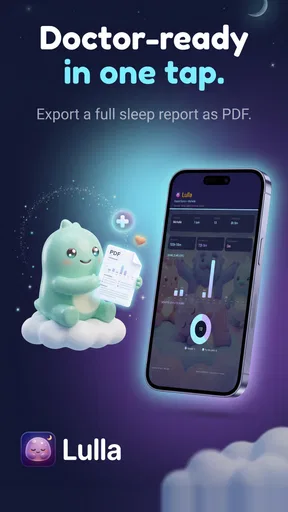
- Helpful for sharing routine details with caregivers or pediatricians.
Cons
- Manual entries can become tedious during busy nighttime routines.
- Insights may be limited when only a small amount of data is recorded.
- Tracking accuracy depends on remembering to start and stop each session.
- Some features may require a subscription or in-app purchase.
- Parents seeking feeding or diaper logs may need additional apps.
FAQs for Baby Sleep Tracker: Lulla
What is Baby Sleep Tracker: Lulla used for?
Baby Sleep Tracker: Lulla is designed to help parents record and understand their baby’s sleep routine. After using it to log naps, nighttime sleep, wake-ups, and other daily patterns, you can review the information in an organized timeline. This can make it easier to identify regular habits, notice changes, and discuss sleep concerns with a pediatrician when necessary.
Is Baby Sleep Tracker: Lulla suitable for newborns and older babies?
The app can be useful during different stages of infancy because parents can track sleep as routines develop and change. However, newborn sleep is often irregular, so the recorded data should be treated as a helpful overview rather than a strict schedule. As your child grows, the history may become more useful for recognizing consistent nap and bedtime patterns.
Does Baby Sleep Tracker: Lulla provide medical or sleep-training advice?
Baby Sleep Tracker: Lulla should be considered a tracking and organization tool, not a replacement for professional medical guidance. Its records may help you understand your child’s routine, but they cannot diagnose sleep disorders or confirm whether a sleep pattern is healthy. Always contact a pediatrician or qualified healthcare professional about persistent concerns.
Can more than one parent or caregiver use the sleep information?
The usefulness of Baby Sleep Tracker: Lulla depends on how consistently sleep events are recorded, especially when several people care for the baby. Before downloading, check the current app version to confirm whether it supports account synchronization, shared access, or backup across devices. If those features are unavailable, caregivers may need to update the same device manually.
What should parents consider before downloading Baby Sleep Tracker: Lulla?
Before installing Baby Sleep Tracker: Lulla, review its current privacy policy, permissions, subscription details, and backup options in the Google Play Store or App Store listing. Parents should also consider whether the interface is quick enough for nighttime use and whether the available reports match their needs. App features, pricing, and compatibility may vary by device and region.


